
Tired of exact matches failing on messy data?
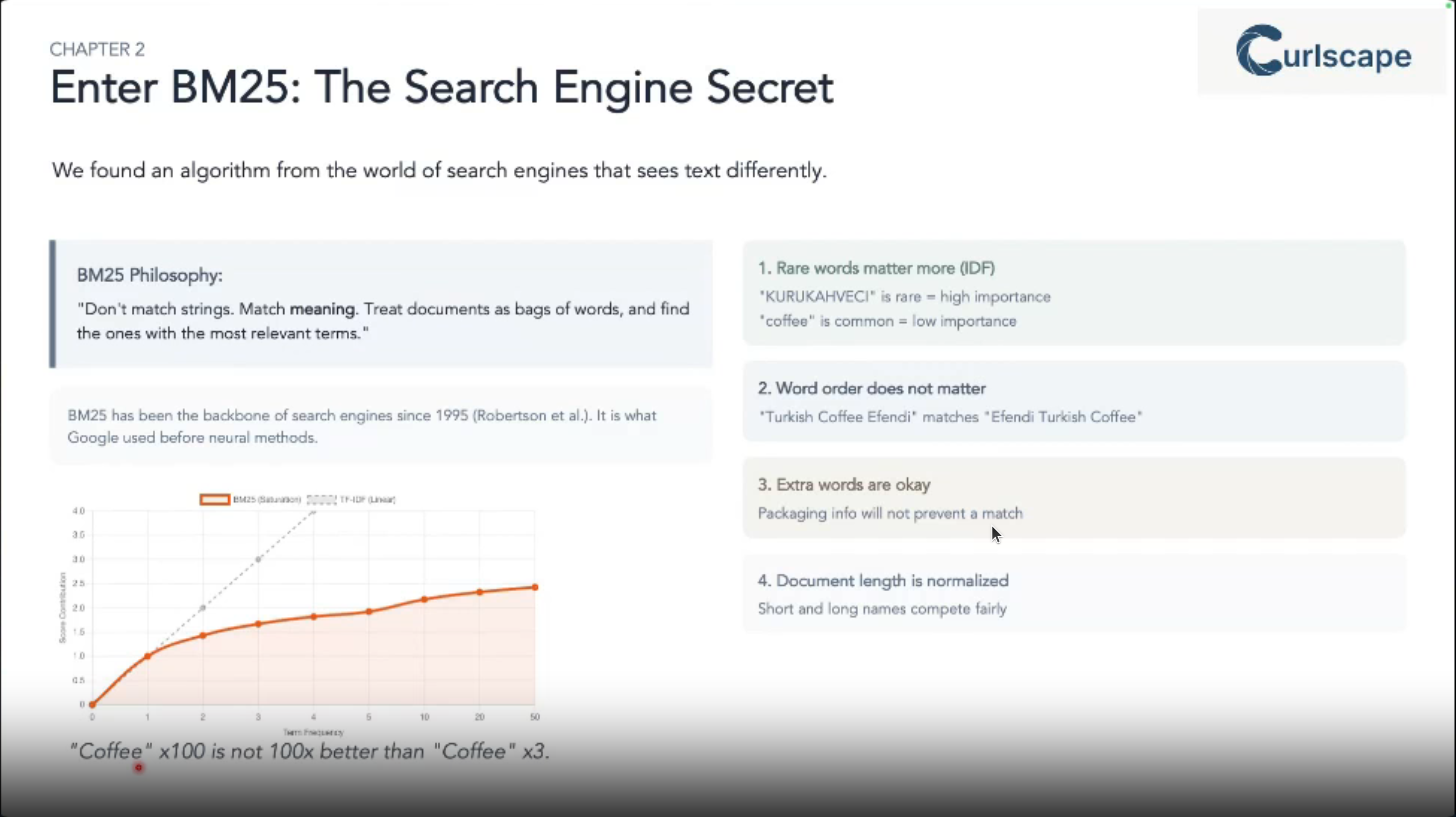
This talk showcases how BM25 1, a powerful fuzzy search algorithm, tackles the challenge of enriching massive datasets with noisy product names.
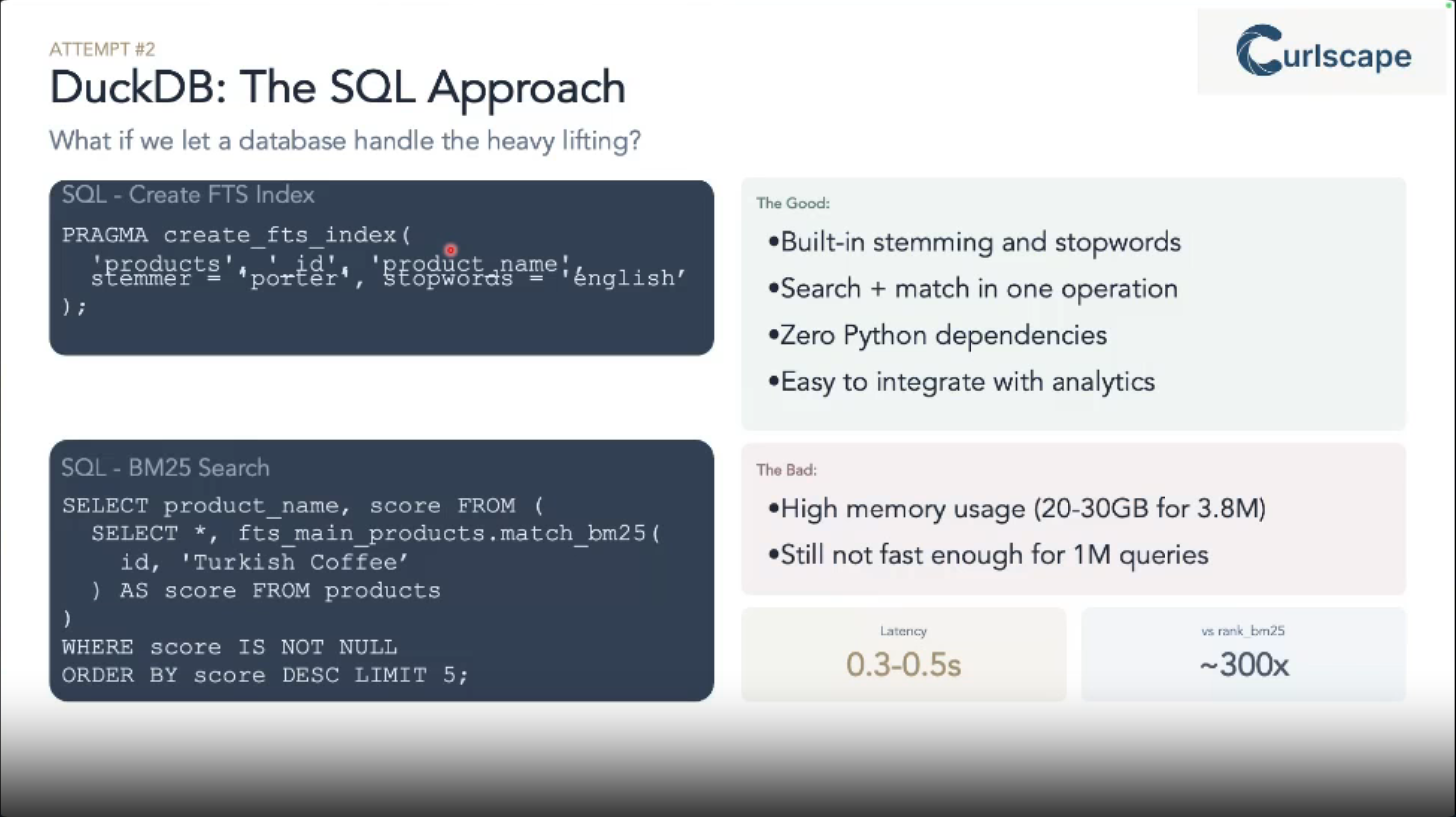
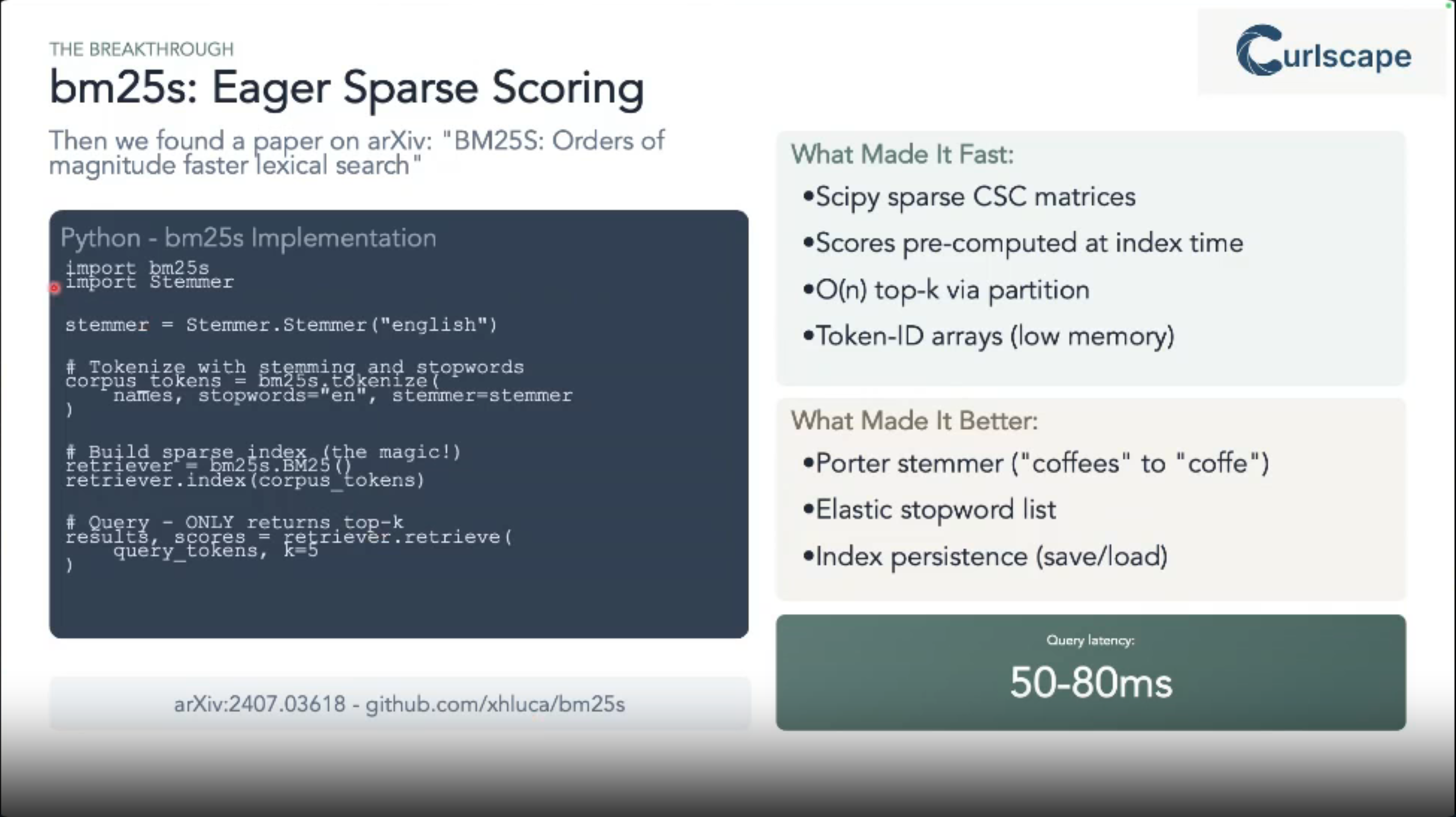
We’ll compare practical, large-scale implementations using Python’s bm25s library (accelerated by GPUs) and DuckDB’s built-in full-text search.
Join us to learn how to achieve fast, accurate data integration and discover the optimal tools for your fuzzy matching needs.
1 originally developed in the 1980s
The problem at hand:
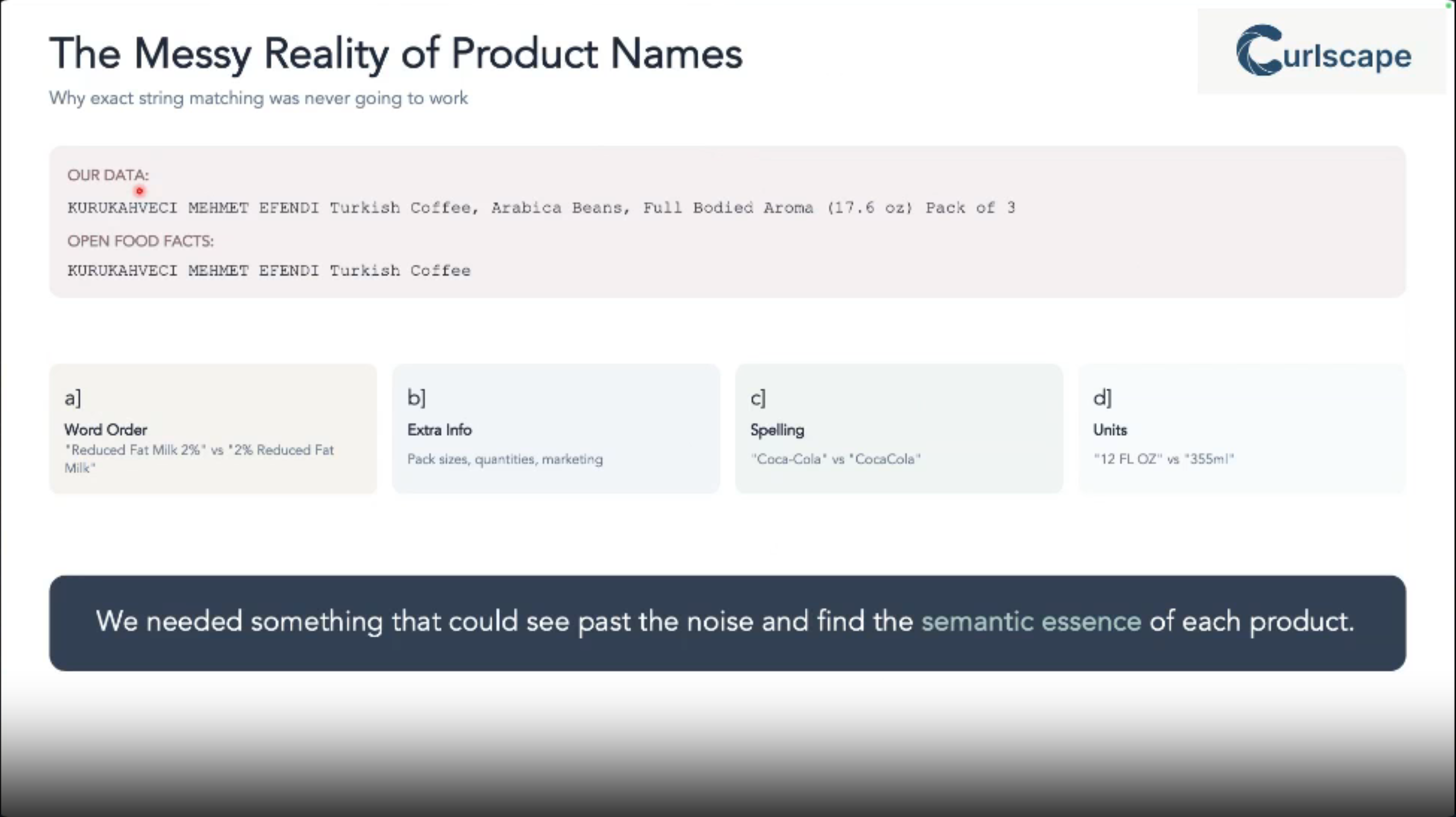
Are you constantly battling messy, inconsistent product names across massive datasets?
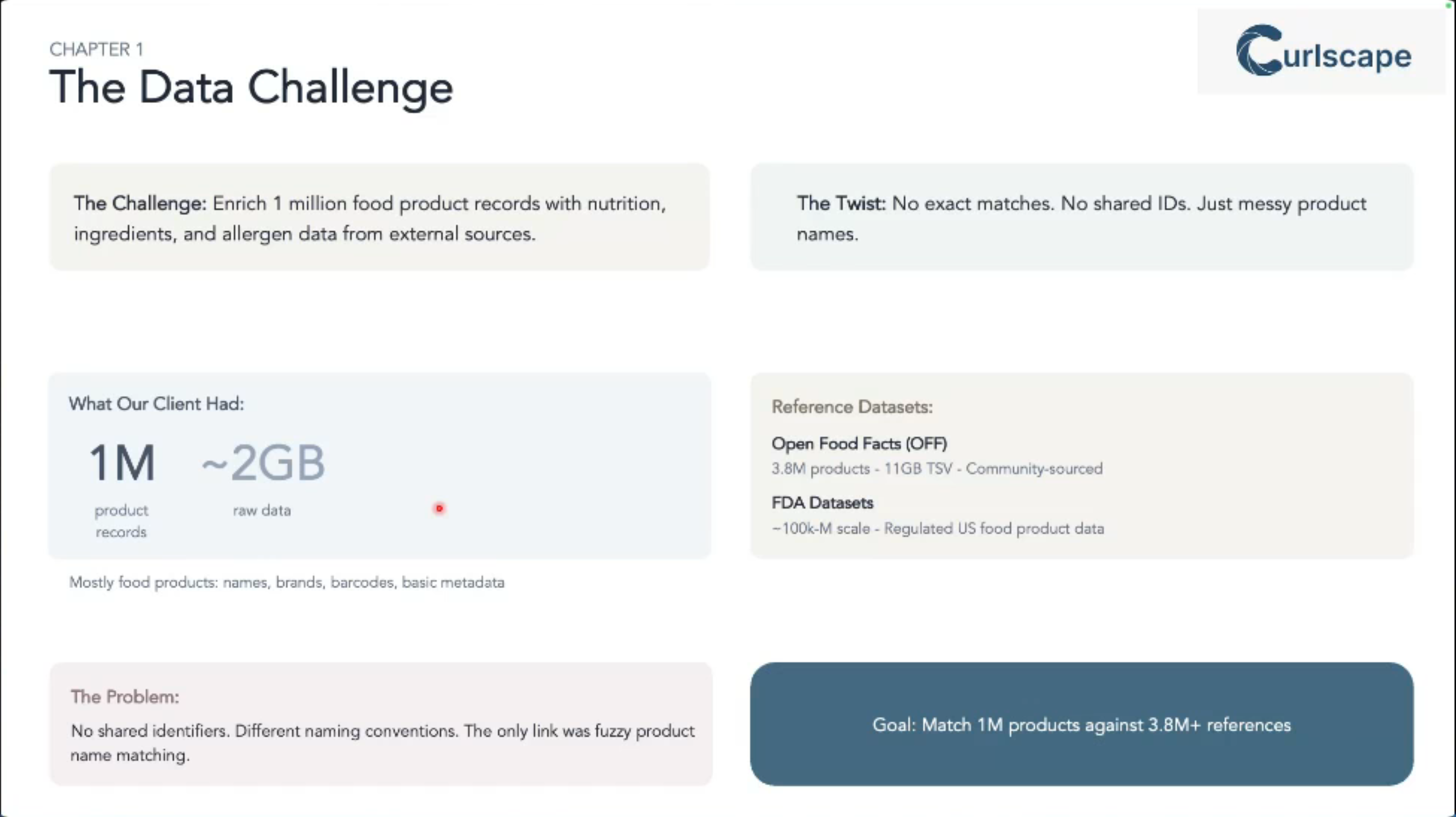
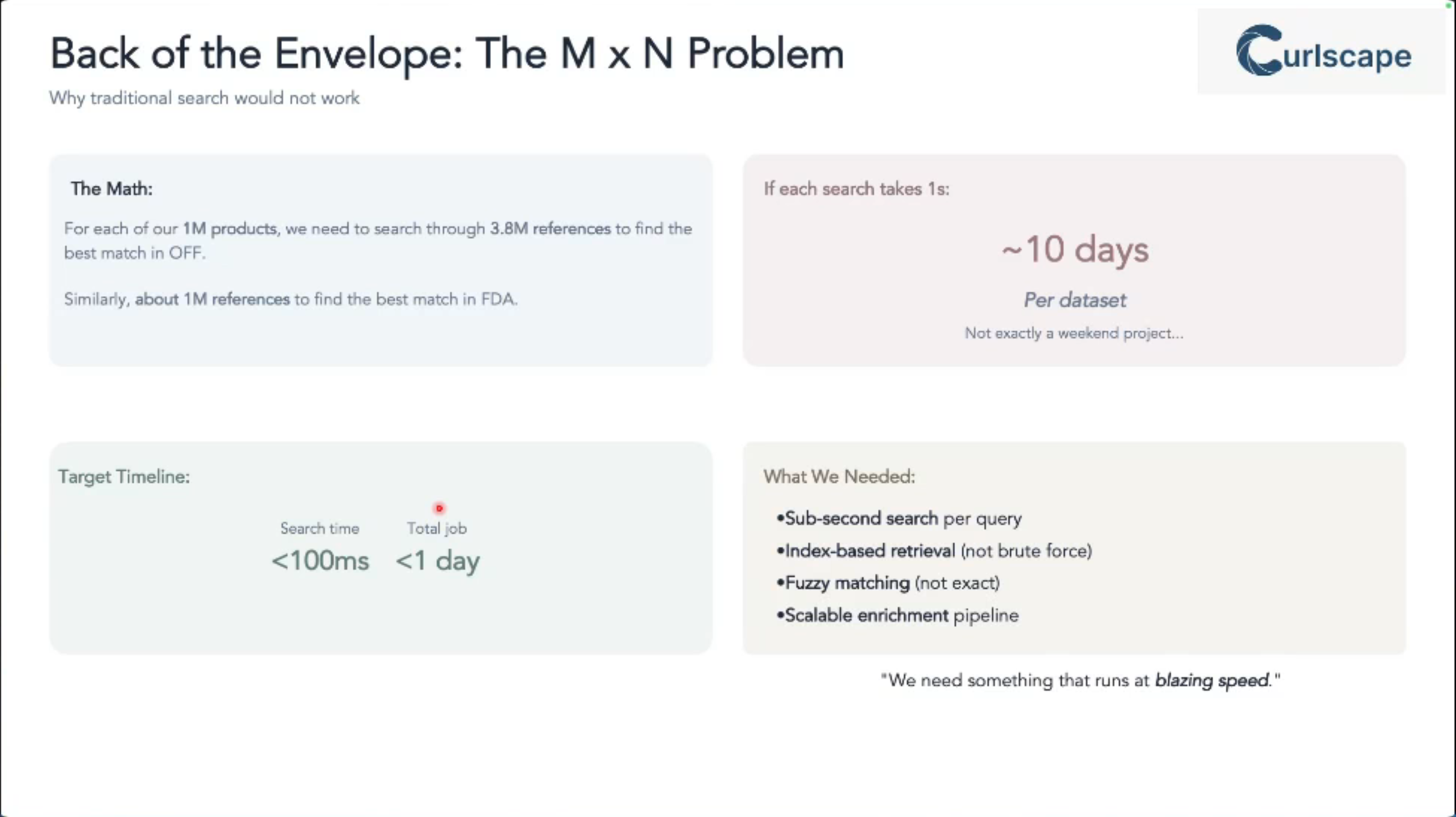
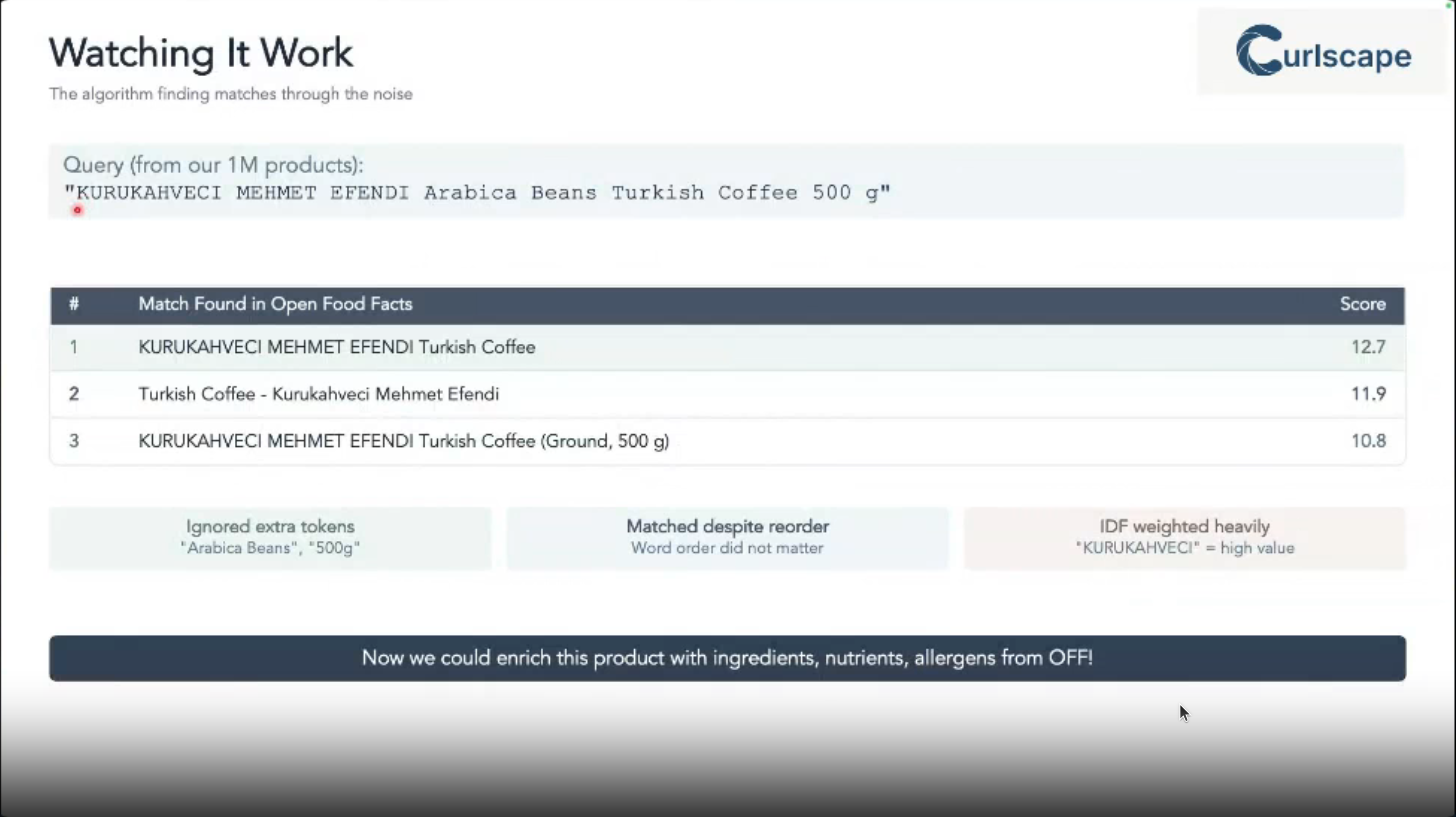
Traditional exact matching just doesn’t cut it when you’re trying to integrate data from various sources (like a 1-million-row internal catalog with a 3.8-million-row external one like Open Food Facts).
This talk addresses that exact problem: how to efficiently and accurately find fuzzy matches, saving you countless hours of manual reconciliation and enabling robust data enrichment. It’s crucial for anyone working with real-world, imperfect data at scale.
Is this talk for me?
This talk is for data engineers, data scientists, and analytics professionals who work with large-scale datasets and face challenges with data integration, record linkage, or building robust search functionalities. A basic understanding of dataframes and SQL will be helpful, but no deep prior knowledge of search algorithms is required.
This will be an informative and practical talk with a clear focus on real-world application. While we’ll briefly cover the “why” behind BM25, the emphasis will be on “how” to implement and optimize it. We’ll present concrete benchmarks and code examples, moving beyond theoretical concepts.
- Understand why BM25 is a superior choice for fuzzy matching noisy product names compared to traditional methods.
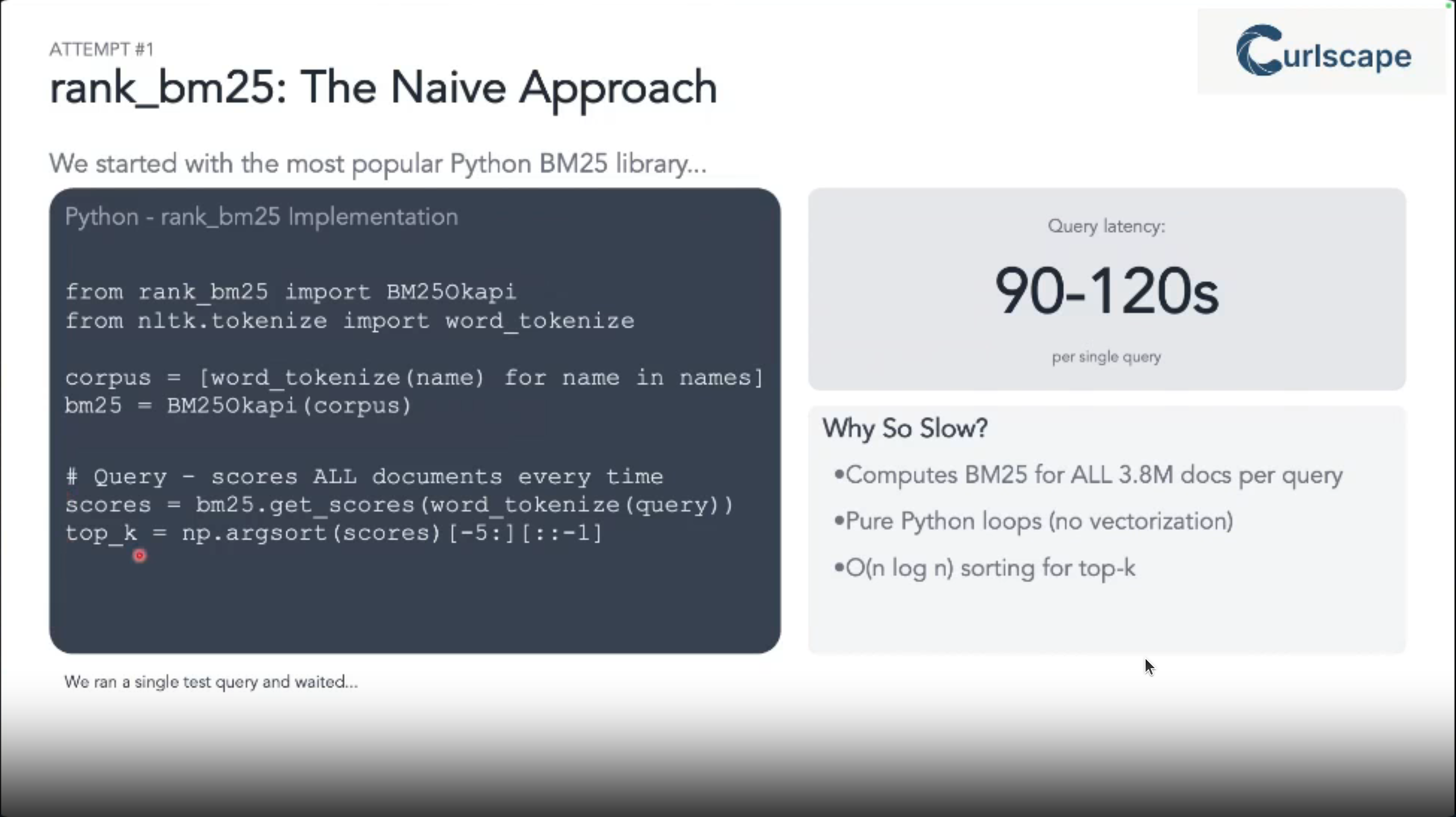
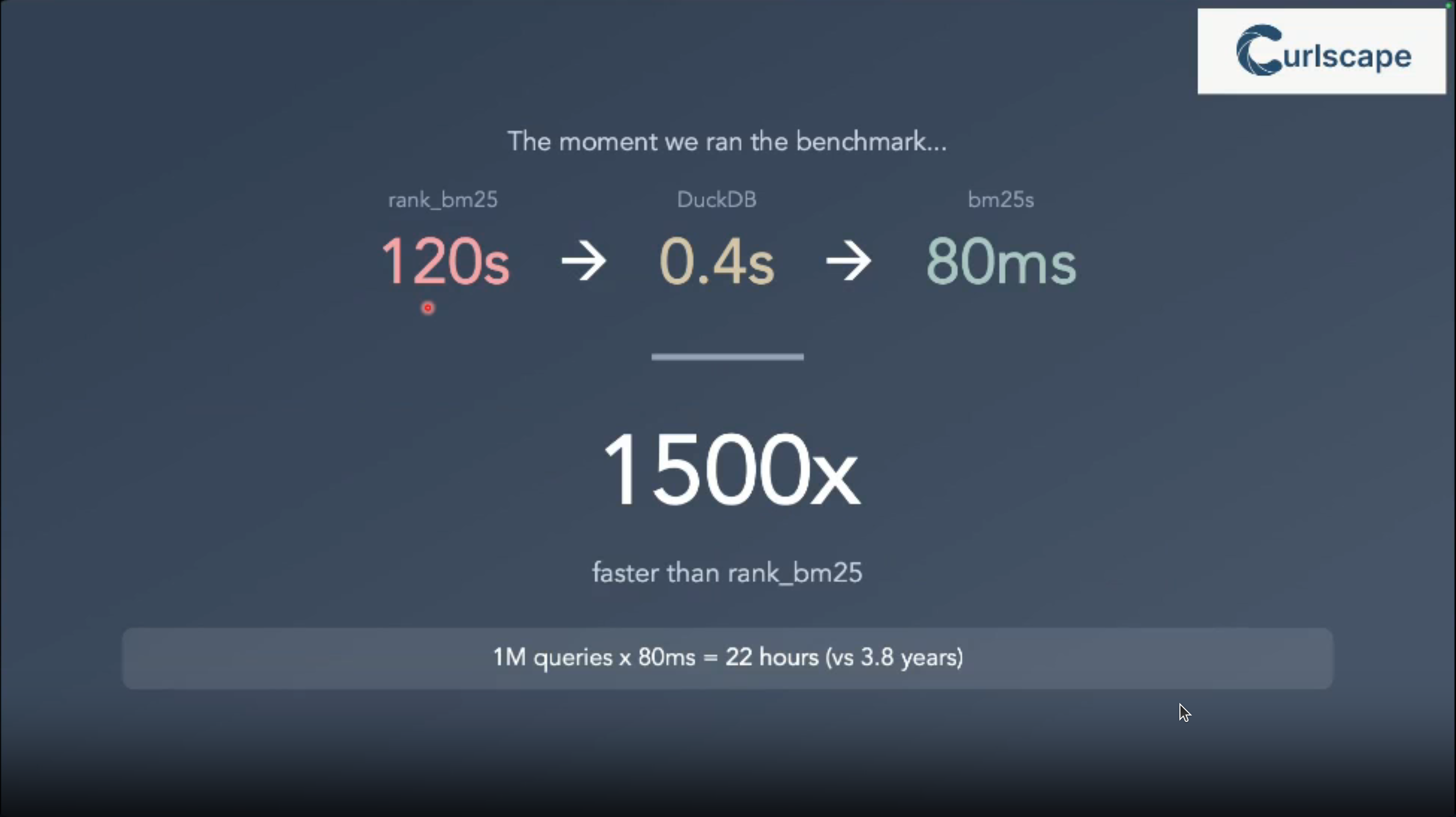
- See a practical, head-to-head comparison of implementing BM25 using Python libraries (specifically the optimized Cython bm25s) and DuckDB’s native full-text search.
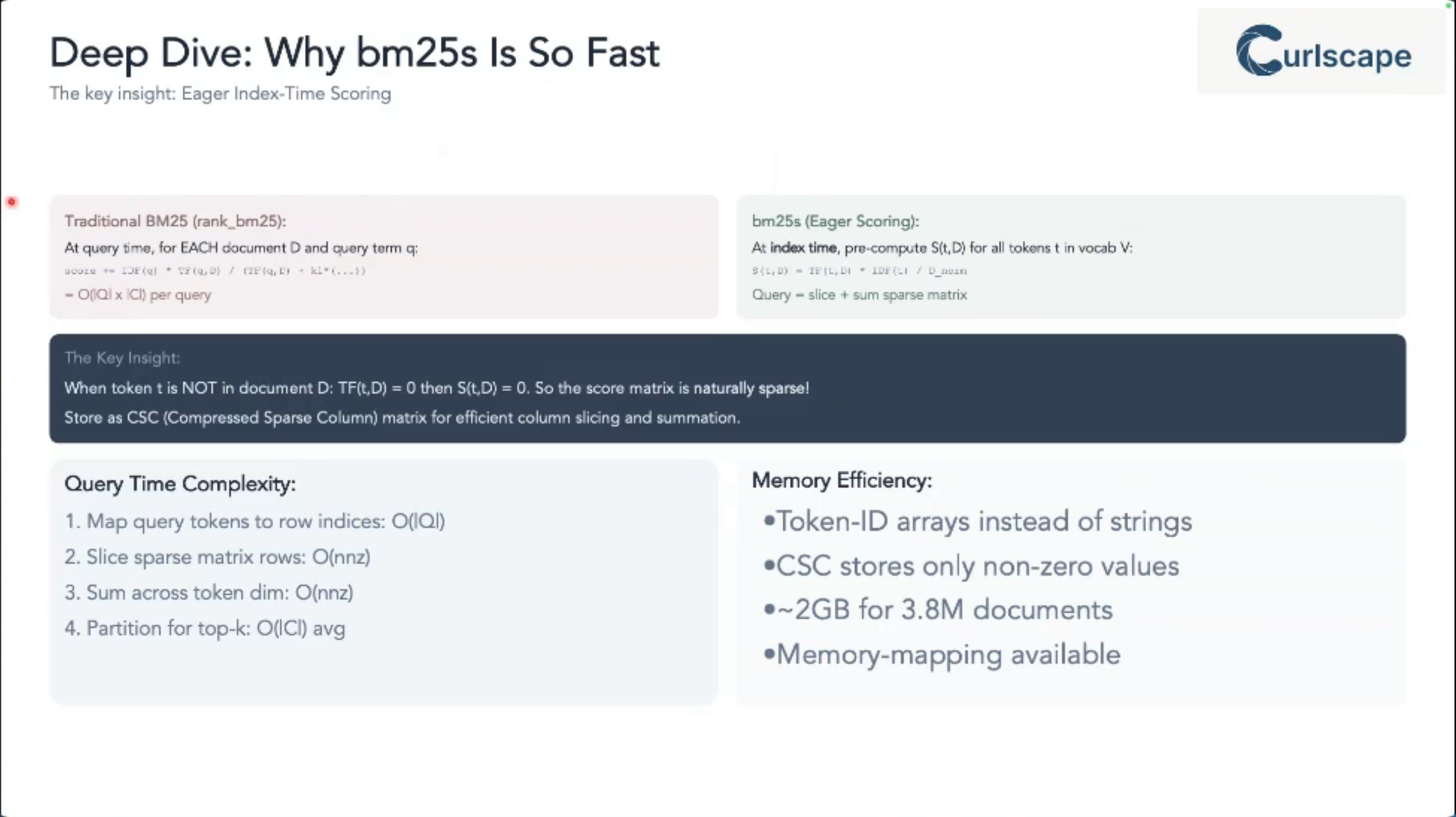
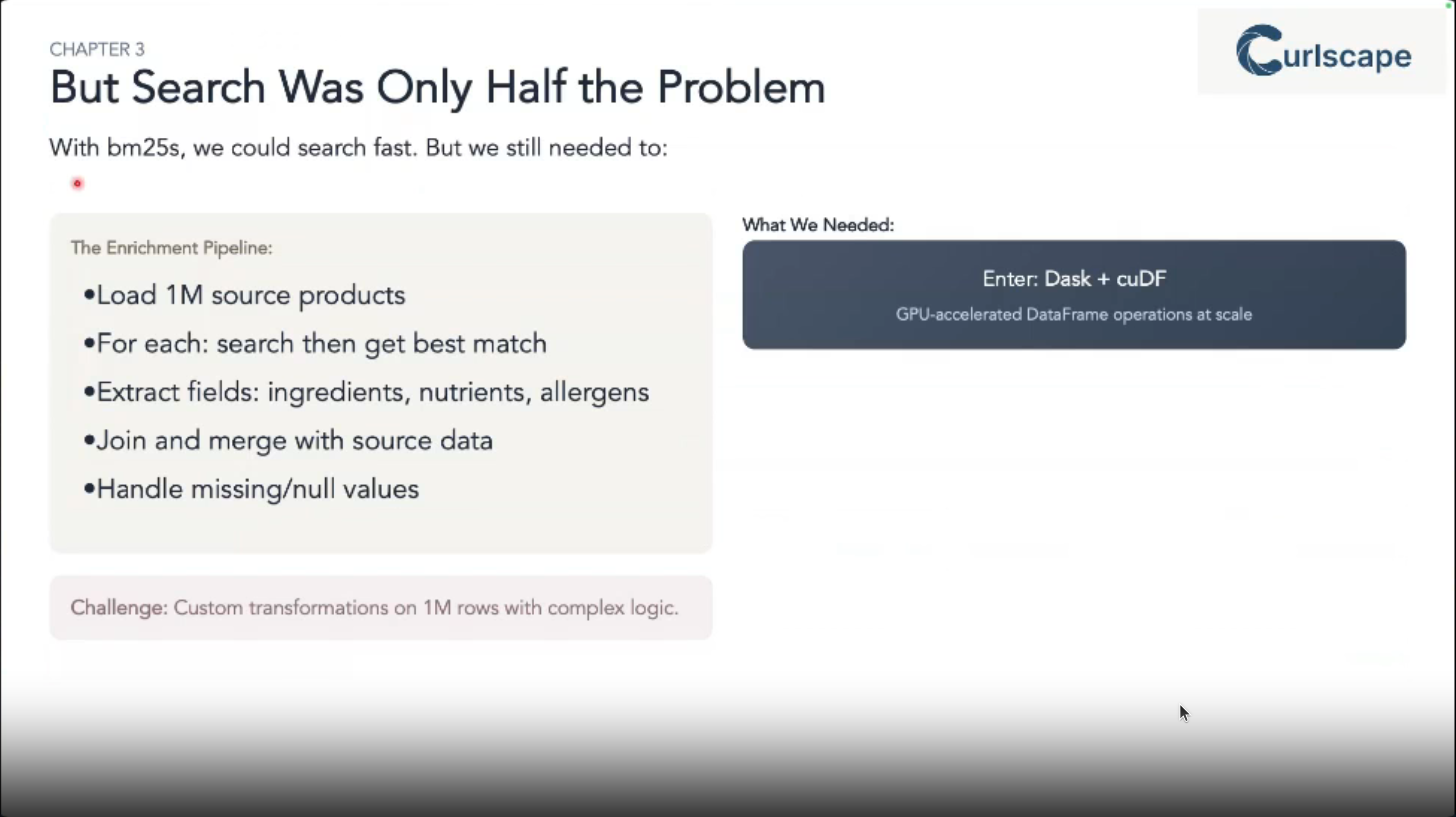
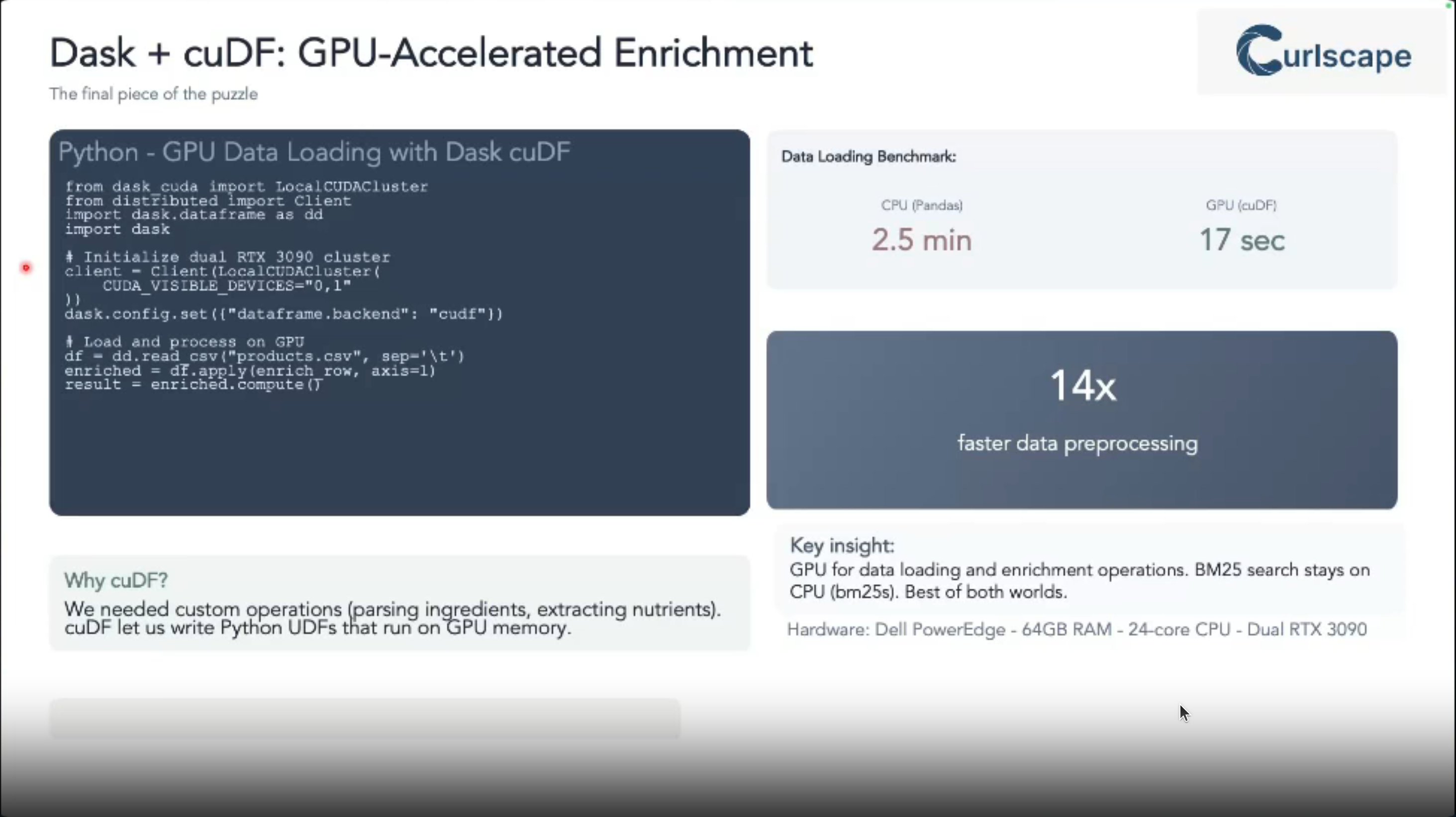
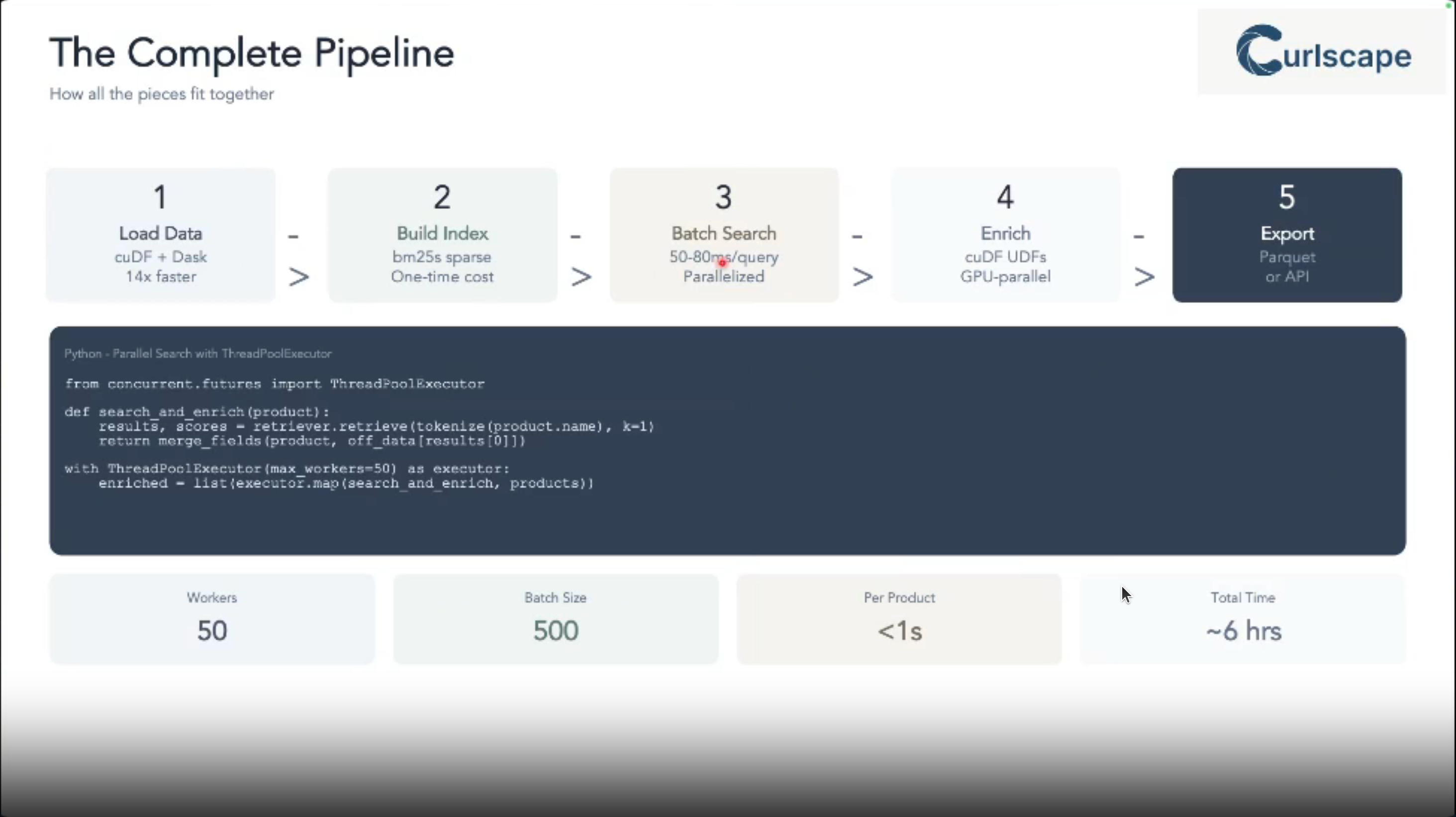
- Gain insights into performance implications (speed and memory usage) for each approach on large datasets, including the benefits of GPU acceleration with Dask CuDF.
- Learn production tips for persisting indexes, handling bulk queries, and managing memory effectively.
- Be equipped to choose the most suitable BM25 implementation for your specific data enrichment and fuzzy matching needs, allowing you to build faster and more accurate data pipelines.
- A medium level background in python
- An introductory level information about DuckDB
- An introductory level information into how BM25 works would be bonus!
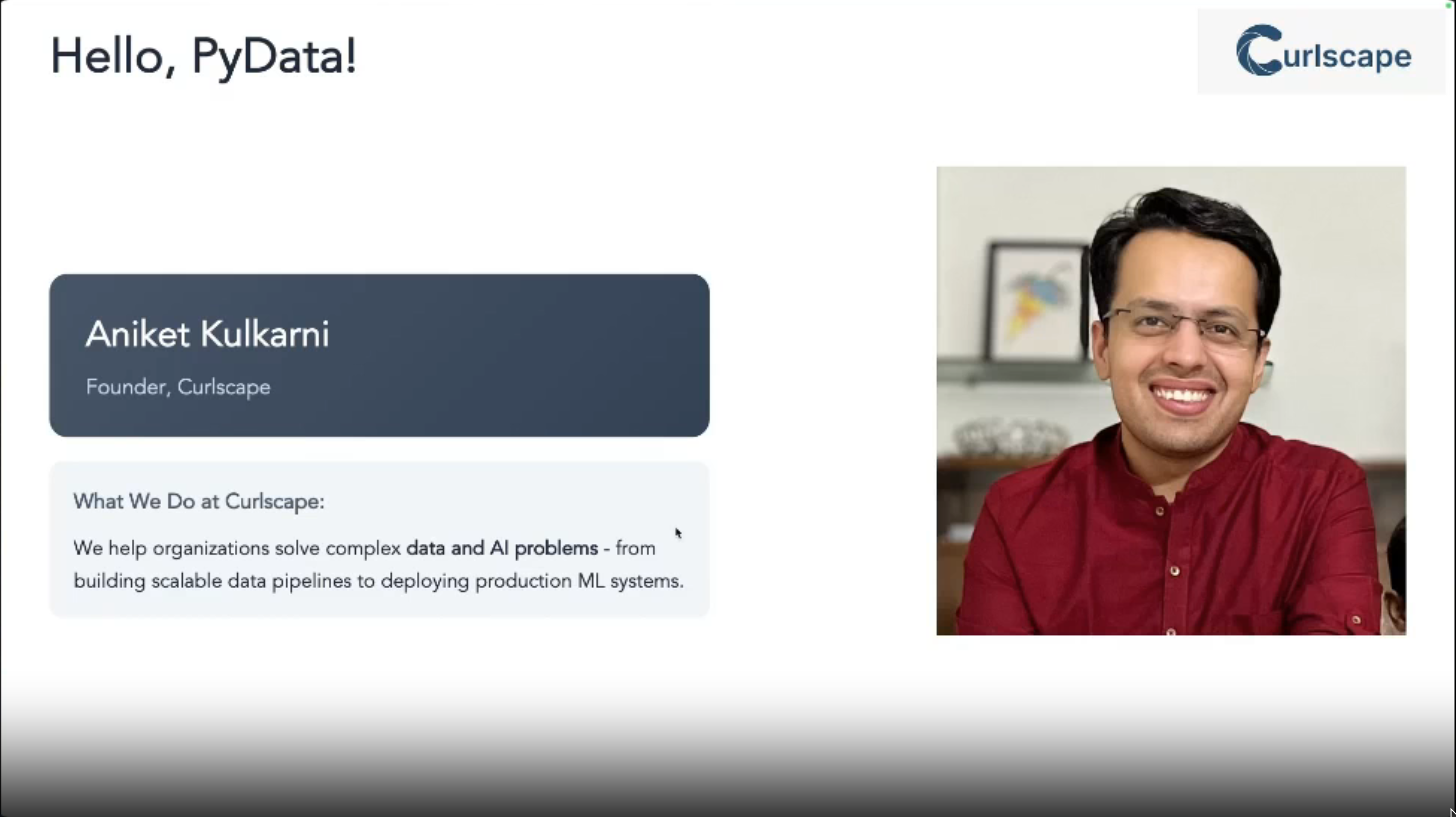
Aniket Abhay Kulkarni
Aniket is an engineer at heart. He has founded Curlscape, where he helps businesses bring practical AI applications to life fast. He has led the design and deployment of large-scale systems across industries, from finance and healthcare to education and logistics. His work spans LLM-based information extraction, agentic workflows, voice assistants, and continuous evaluation frameworks.
Outline
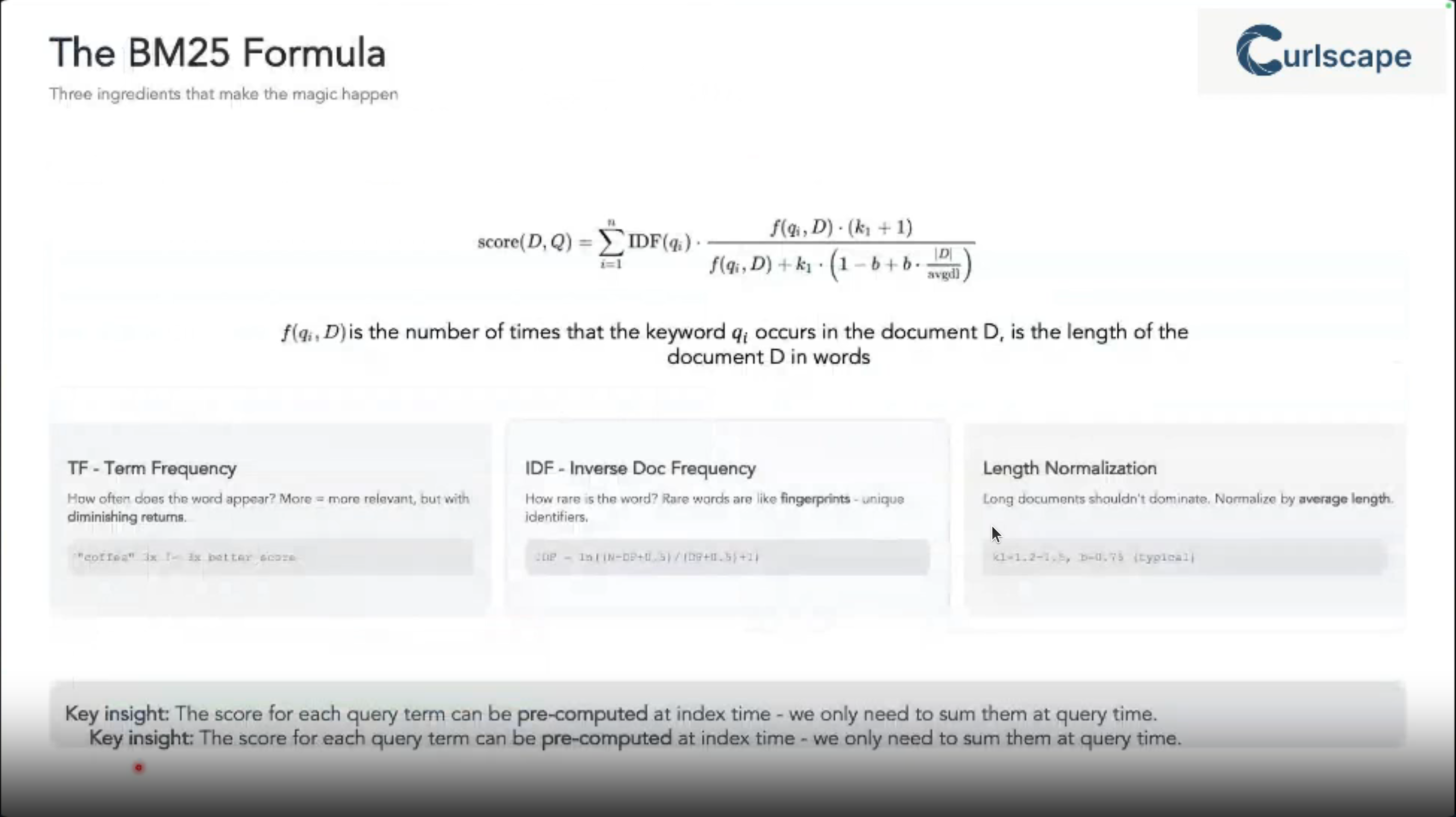
BM_{25}(q, d) = \sum_{i=1}^{n} IDF(q_i) \cdot \frac{f(q_i, d) \cdot (k_1 + 1)}{f(q_i, d) + k_1 \cdot (1 - b + b \cdot \frac{|d|}{avgdl})}
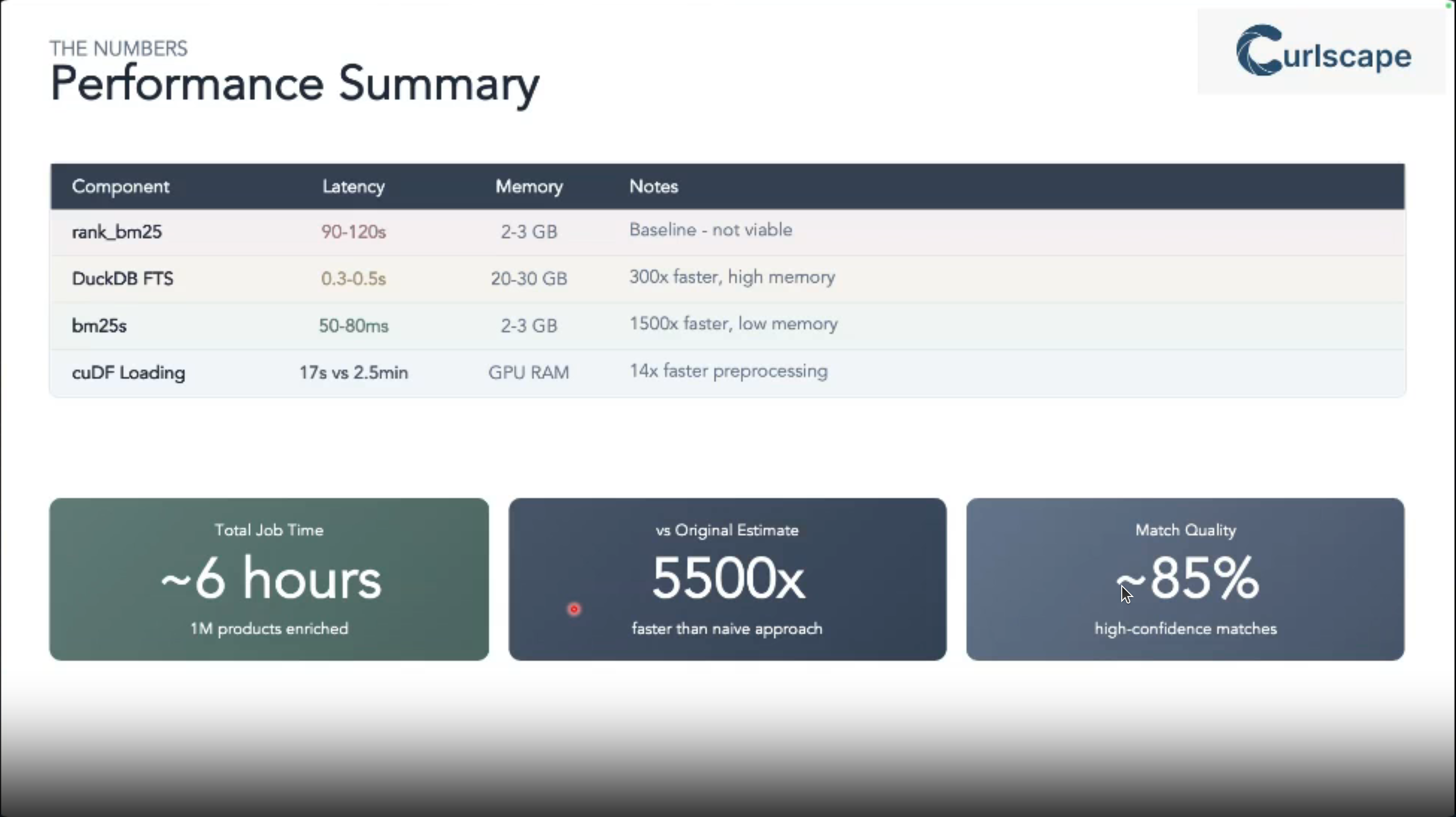
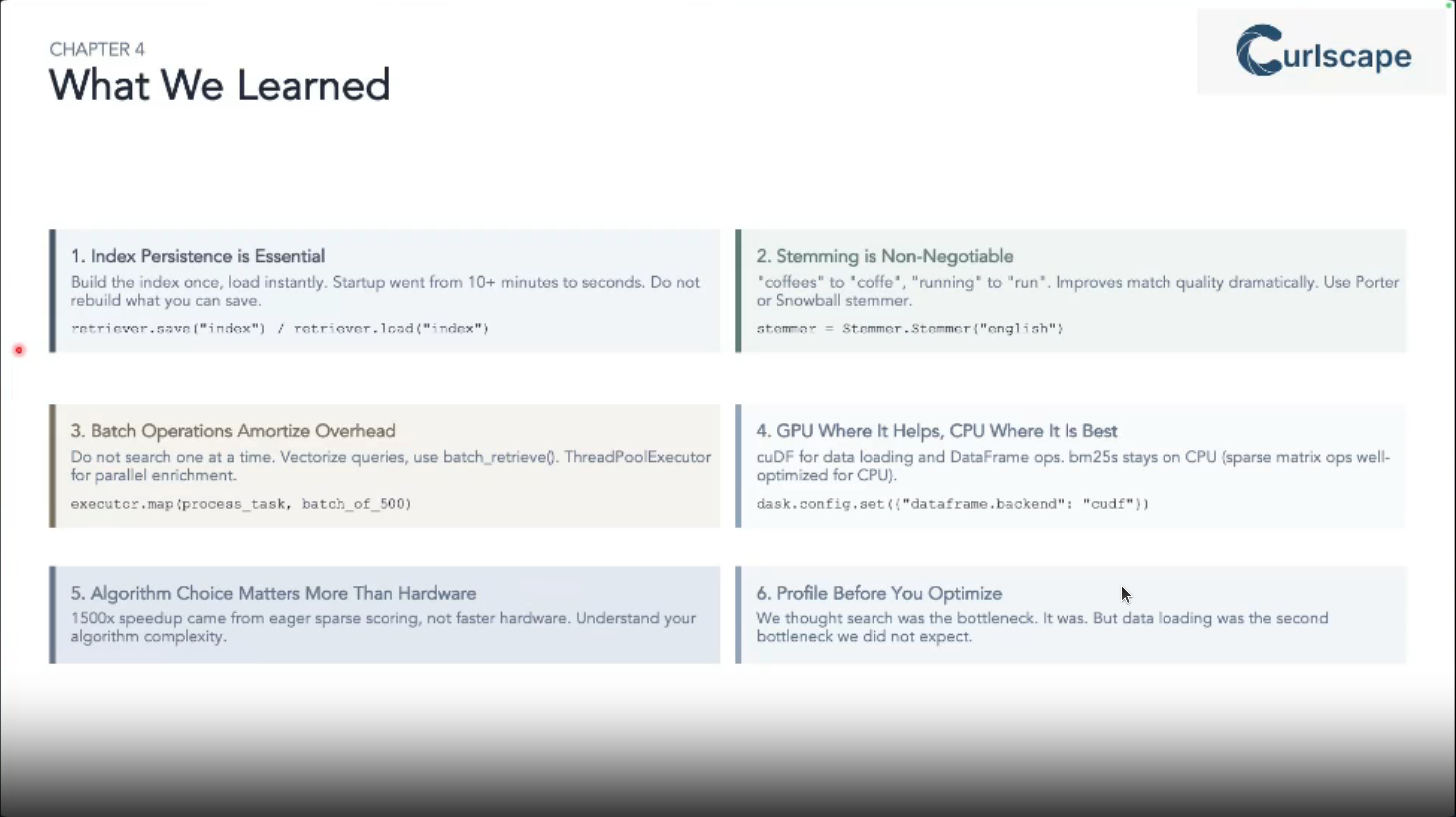
Reflections
Product matching is a common yet challenging task in data science projects dealing with marketing pricing and logistics at scale.
In a couple of places I worked we discussed building in-house solutions for doing this but I never got around to implementing them.
This talks suggest a modern and practical approach to solving this problem using BM_{25} algorithm and leveraging both Python and DuckDB implementations. It can then be integrated into LLM a tool using an MCP server.
Some code samples
Install BM25S with extra dependencies:
# Install all extra dependencies
pip install "bm25s[full]"

# If you want to use stemming for better results, you can install a stemmer
pip install PyStemmer

# To speed up the top-k selection process, you can install `jax`
pip install "jax[cpu]"
Bm25s quick start:
import bm25s
import Stemmer  # optional: for stemming

# Create your corpus here
corpus = [
    "a cat is a feline and likes to purr",
    "a dog is the human's best friend and loves to play",
    "a bird is a beautiful animal that can fly",
    "a fish is a creature that lives in water and swims",
]

# optional: create a stemmer
stemmer = Stemmer.Stemmer("english")

# Tokenize the corpus and only keep the ids (faster and saves memory)
corpus_tokens = bm25s.tokenize(corpus, stopwords="en", stemmer=stemmer)

# Create the BM25 model and index the corpus
retriever = bm25s.BM25()
retriever.index(corpus_tokens)

# Query the corpus
query = "does the fish purr like a cat?"
query_tokens = bm25s.tokenize(query, stemmer=stemmer)

# Get top-k results as a tuple of (doc ids, scores). Both are arrays of shape (n_queries, k).
# To return docs instead of IDs, set the `corpus=corpus` parameter.
results, scores = retriever.retrieve(query_tokens, k=2)

for i in range(results.shape[1]):
    doc, score = results[0, i], scores[0, i]
    print(f"Rank {i+1} (score: {score:.2f}): {doc}")

# You can save the arrays to a directory...
retriever.save("animal_index_bm25")

# You can save the corpus along with the model
retriever.save("animal_index_bm25", corpus=corpus)

# ...and load them when you need them
import bm25s
reloaded_retriever = bm25s.BM25.load("animal_index_bm25", load_corpus=True)
# set load_corpus=False if you don't need the corpus
for more BM25S examples including using HuggingFaceHub integration check the bm25s documentation
DuckDB is a fast database system
- install DuckDB:
pip install duckdb- Example usage:
# Get the top-3 busiest train stations
import duckdb
duckdb.sql("""
    SELECT station, count(*) AS num_services
    FROM train_services
    GROUP BY ALL
    ORDER BY num_services DESC
    LIMIT 3;
    """)
Duck DB now has supports support for the Apache Iceberg open table format. Read about it here
Citation
@online{bochman2025,
  author = {Bochman, Oren},
  title = {Scaling {Fuzzy} {Product} {Matching} with {BM25:} {A}
    {Comparative} {Study} of {Python} and {Database} {Solutions}},
  date = {2025-12-09},
  url = {https://orenbochman.github.io/posts/2025/2025-12-09-pydata-scaling-fuzzy-product-matching/},
  langid = {en}
}